Advanced PACS Software Built Around the Way Radiologists Work
Radiology is more than viewing images. It is about reviewing studies efficiently, capturing important findings, preparing reports and coordinating the journey of each case.
RadioReads PACS brings medical image viewing, reporting tools and configurable workflows together in a platform designed for radiologists, hospitals and diagnostic centres.
With advanced DICOM viewing capabilities, voice-to-text reporting, configurable report formats and AI-assisted suggestions, RadioReads PACS is designed to support a more organised and efficient radiology workflow.
Radiology is more than viewing images. It is about reviewing studies efficiently, capturing important findings, preparing reports and coordinating the journey of each case.
Advanced DICOM Viewer
Review medical images with supported advanced viewing tools, including 2D MPR, 3D MPR and MIP, subject to the deployed configuration.
Capture and Annotate Key Images
Capture important images and add annotations to support review and inclusion in reports where the workflow supports it.
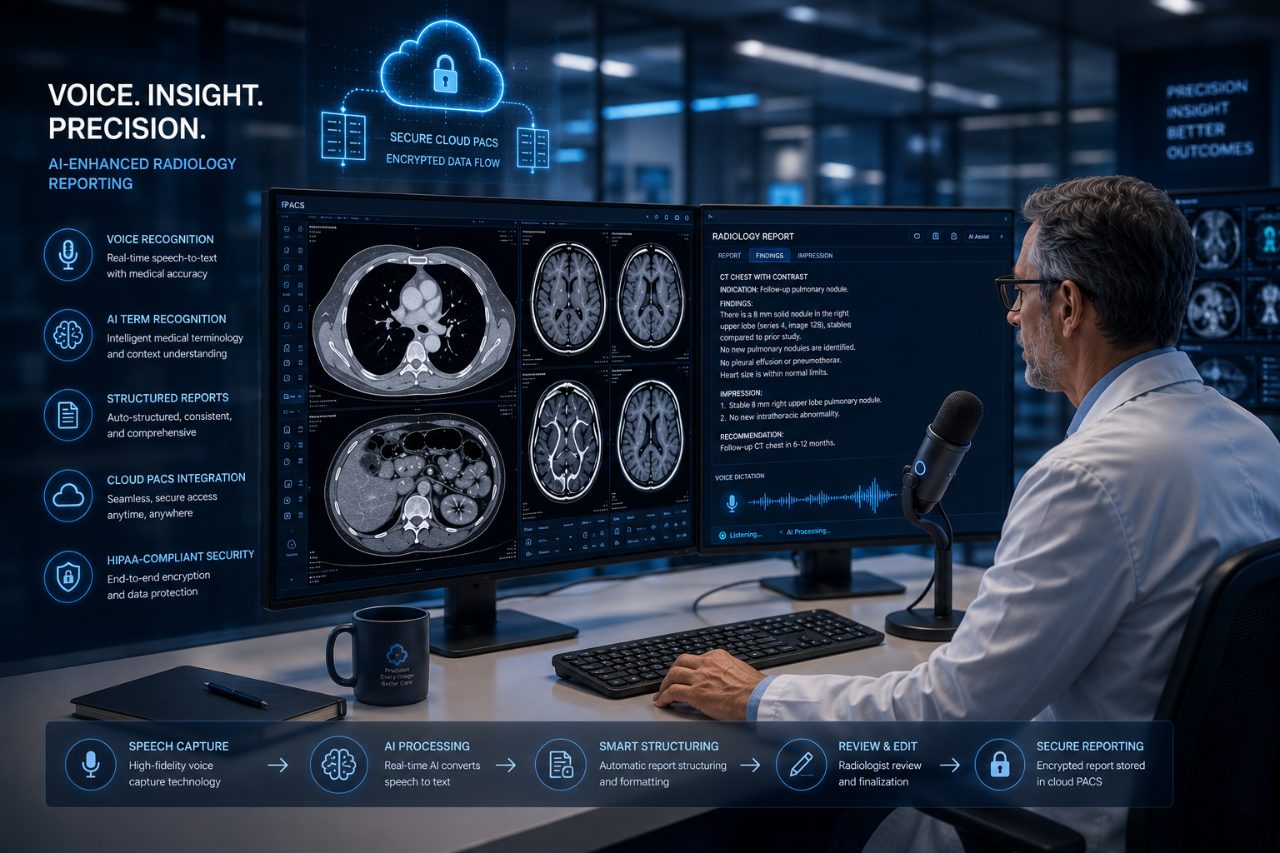
Voice-to-Text Reporting
Support report preparation through voice dictation, with language availability and functionality confirmed for your deployment.
AI-Assisted Suggestions
Support the reporting workflow with AI-generated suggestions that radiologists can review and apply when appropriate. Clinical interpretation and final reporting remain the responsibility of the qualified professional.
Custom Report Formats
Configure reporting templates to suit agreed requirements, including supported fields, signatures and QR-code functionality.
Personalised Radiologist Workspace
Adapt supported workspace settings, tools, shortcuts and preferences to individual reporting needs.
Workflow Tailored to Your Centre
Configure supported workflow steps around your centre’s operational processes rather than forcing every centre into the same workflow.
Digital Case Submission and Tracking
Support digital submission and coordination of imaging studies through the configured RadioReads workflow.
Configurable Centre Settings
Manage supported settings such as report formats, study routing, user roles and notifications.
Support for Multiple Imaging Modalities
Support workflows for CT, MRI, PET-CT, mammography, X-ray and other modalities according to the platform’s deployed capabilities and configuration.
From Image Review to Report: A More Connected Workflow
Step 1 — Access the Study
Open the medical imaging study through the configured workflow.
Step 2 — Review the Images
Use the available DICOM viewing tools to examine images and apply supported viewing functions.
Step 3 — Capture and Annotate
Highlight relevant images and add annotations where appropriate.
Step 4 — Prepare the Report
Use supported reporting templates and voice-to-text functionality to assist report preparation.
Step 5 — Review AI Suggestions
Where available, consider AI-assisted suggestions as supporting information, not a substitute for professional clinical judgment.
Step 6 — Complete the Reporting Workflow
Finalise and communicate the report according to the centre’s configured process and authorised responsibilities.
Designed for Hospitals, Diagnostic Centres and Radiologists
Whether you are evaluating a PACS platform for a diagnostic centre, looking to improve an existing imaging workflow or exploring reporting technology for a hospital, RadioReads can help you assess the fit.
Discuss your imaging modalities, existing systems, reporting requirements and technical environment with our team.
See RadioReads PACS in Action
A product demonstration is the best way to understand how the platform's supported features align with your actual workflow. Request a demonstration today.